AWS Lambda Web Functions
· 6 min read
AWS announced Lambda Web Functions on 12 October 2026. Here is what changed, when to use them, and a small demo you can deploy with one command.
What changed?
Classic Lambda (now called Event Functions) gives you a handler, and each execution environment processes one request at a time. To serve HTTP you put API Gateway or a Function URL in front and translate events into requests, often with an adapter.
Web Functions flip that model:
| Event Functions (classic) | Web Functions | |
|---|---|---|
| Programming model | handler(event, context) |
A normal HTTP server listening on a port |
| Requests per environment | 1 | Many (dynamic, up to 128; default 64) |
| HTTP front door | API Gateway / Function URL | Built-in HTTPS endpoint |
| Billing | Requests + duration × configured memory | Requests + active CPU + memory over environment lifetime |
| Streaming | Opt-in | On by default |
| Runtimes | Many | Node.js 24 only (for now) |
| Triggers | SQS, S3, Kinesis, EventBridge… | HTTP only |
The resource model has three pieces:
- Web Function: the app.
- Revision: an immutable snapshot of code and config. Every deploy or config change creates a new one.
- Endpoint: an HTTPS domain that routes traffic to one or two revisions by weight. Canary and blue/green are built in, and each endpoint carries its own auth type, rate limit, and environment cap.
When to use them
Great fit
- I/O-bound APIs and BFFs. A request waiting 200 ms on a database or an LLM API burns almost no CPU, and while it waits the same environment serves dozens of other requests. You aren’t billed for idle wall-clock time per request the way you are with Event Functions.
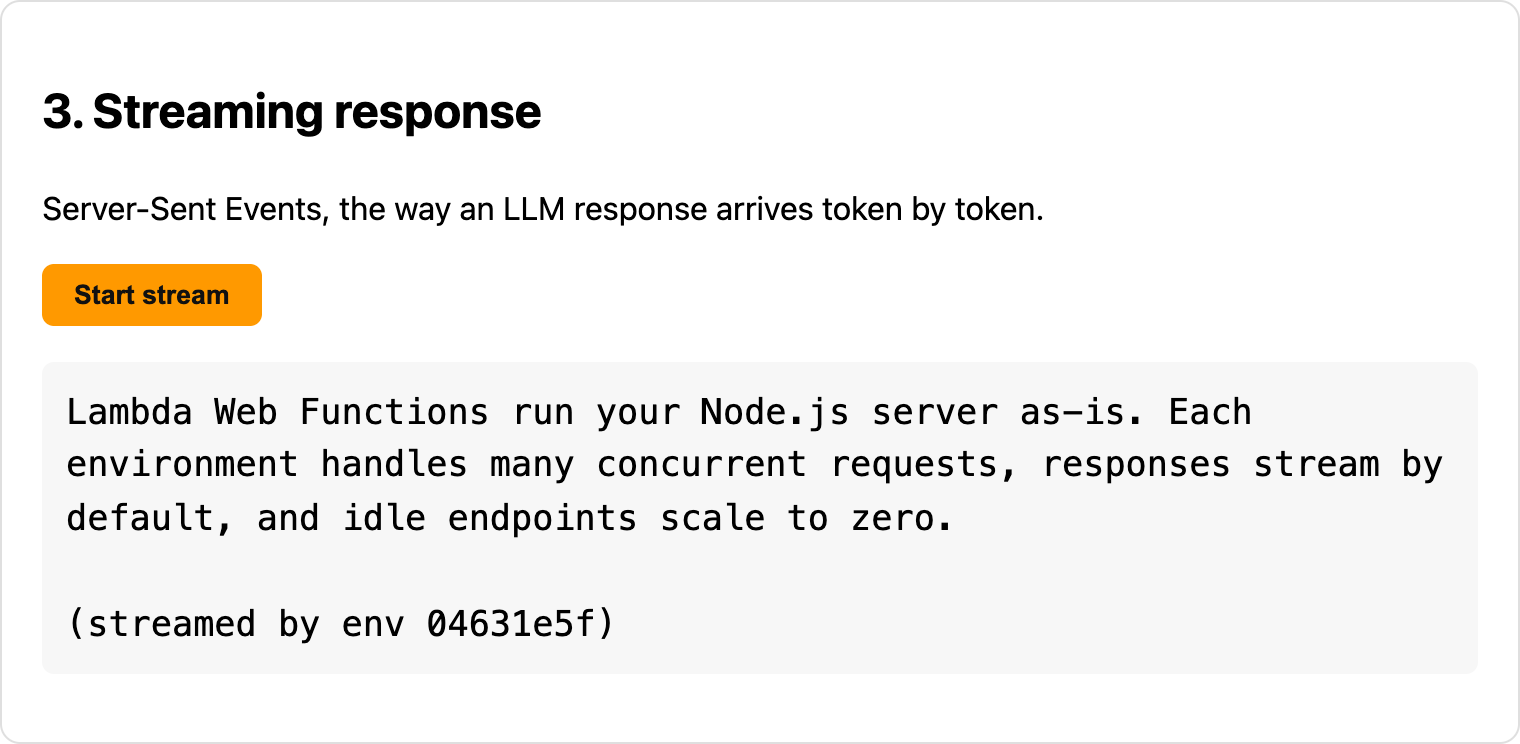
- Streaming LLM responses. Server-Sent Events work with no configuration, and requests can run up to 15 minutes.
- SSR apps. Next.js, React Router, and similar frameworks run their production servers as-is, with no separate hosting layer.
- “Lift and shift” Express/Fastify apps. No adapter, no rewrite. It runs locally exactly as it runs in Lambda.
- Spiky or low-traffic services. Endpoints scale to zero, and you pay nothing while idle.
- Global apps. A MultiRegion endpoint puts several Regions behind one domain with latency-based routing.
Demo: one Hono app, one command
The demo is a Hono server with no Lambda-specific code. You can find it in this repository. It has four routes:
| Route | Shows |
|---|---|
GET / |
Static page served from the same deploy |
GET /api/info |
Which execution environment served you, and how many requests it has in flight |
GET /api/work?ms=2000 |
Simulated I/O wait, for testing concurrency |
GET /api/stream |
SSE token stream (an LLM-style response) |
Architecture
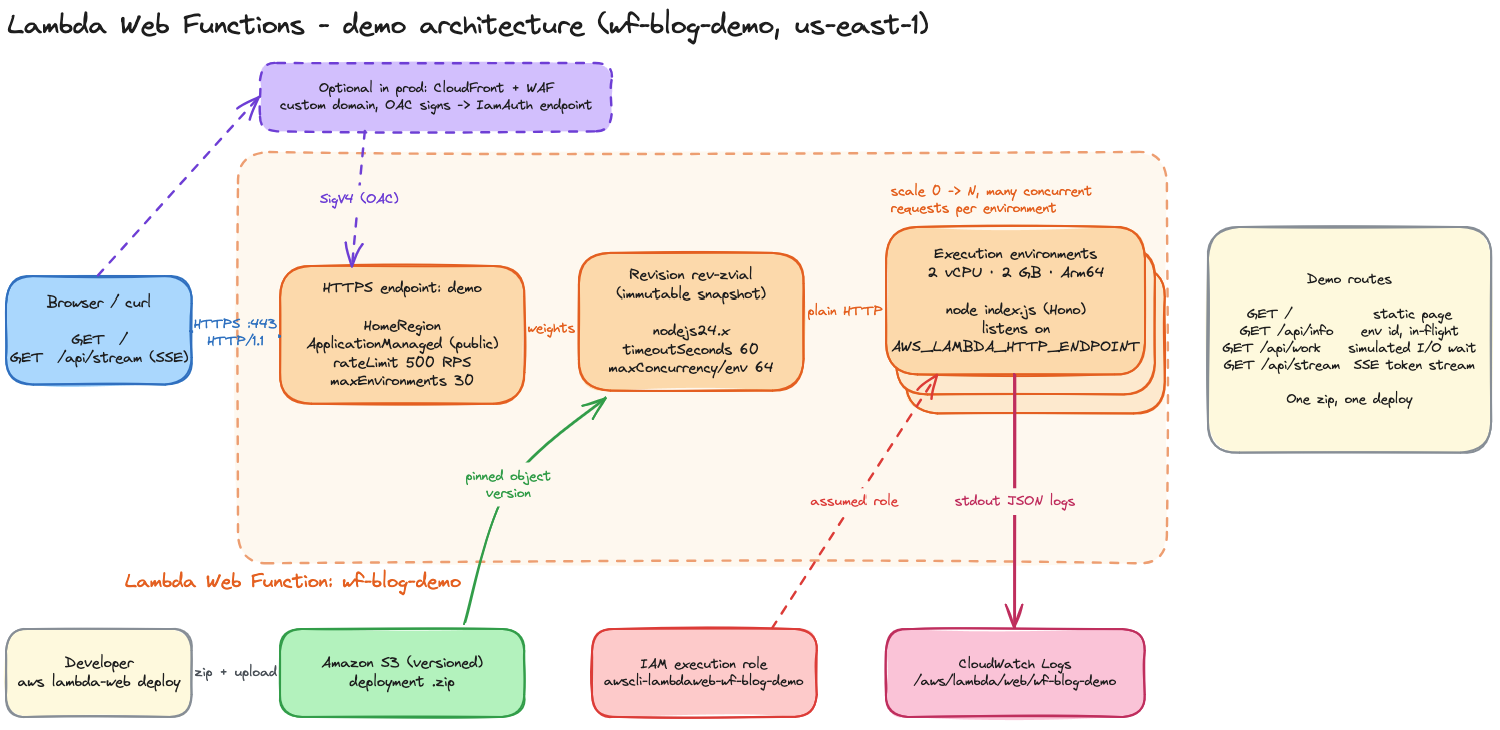
Demo architecture: a browser calls the HTTPS endpoint, which routes by weight to an immutable revision running on auto-scaled execution environments. S3 holds the code, IAM provides the execution role, and logs go to CloudWatch. CloudFront + WAF is an optional front door.
The demo page
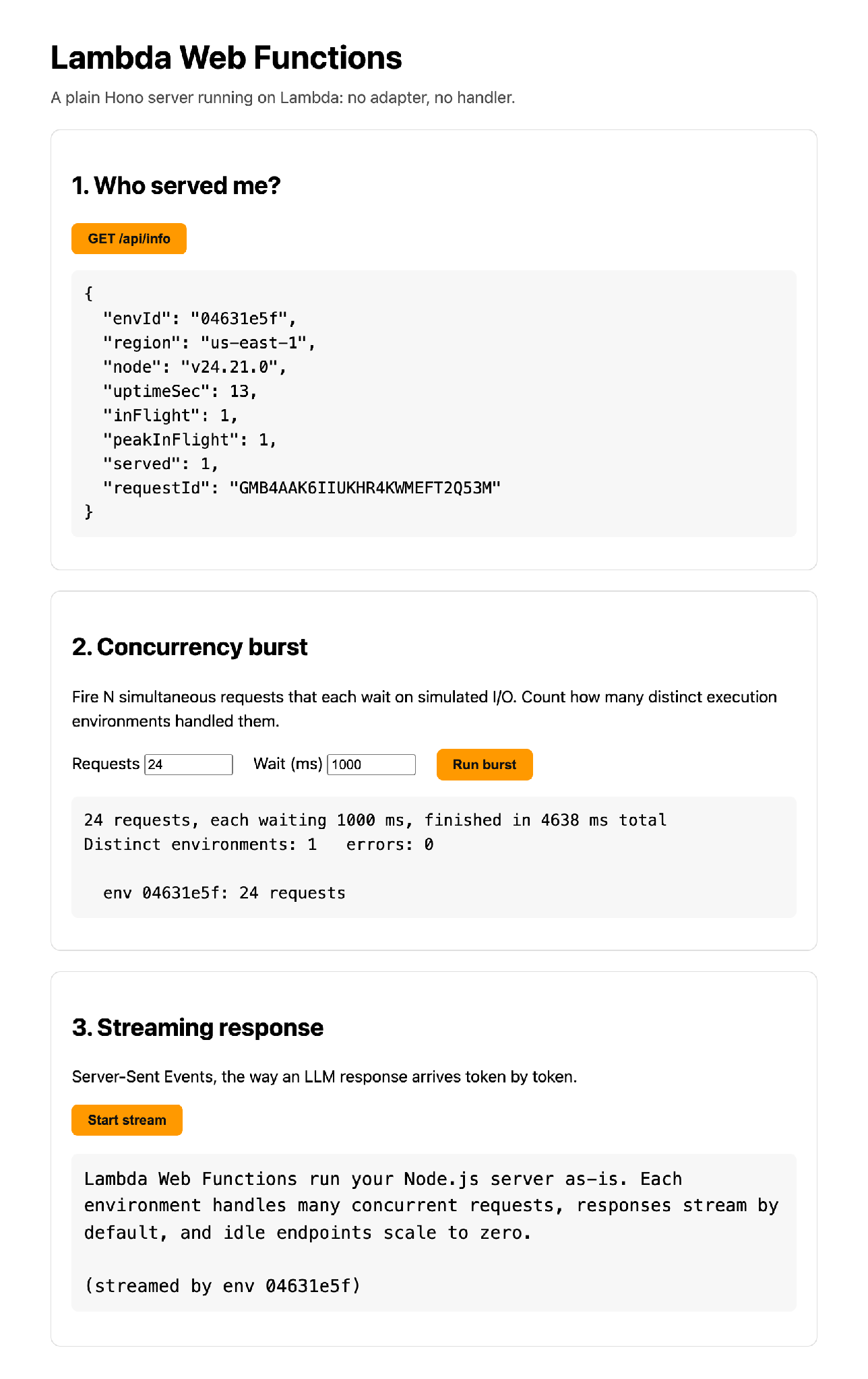
The demo page with all three panels populated: environment info, a concurrency burst, and a streamed response
The only “Lambda” part of the code
const [host, port] = (process.env.AWS_LAMBDA_HTTP_ENDPOINT || "localhost:3000").split(":");
serve({ fetch: app.fetch, hostname: host, port: Number(port) });
That’s it. The same file runs with node index.js on your laptop.
/api/info shows which execution environment served you. envId is a random ID generated once per environment at startup, and served and peakInFlight count the requests that environment has handled since then:
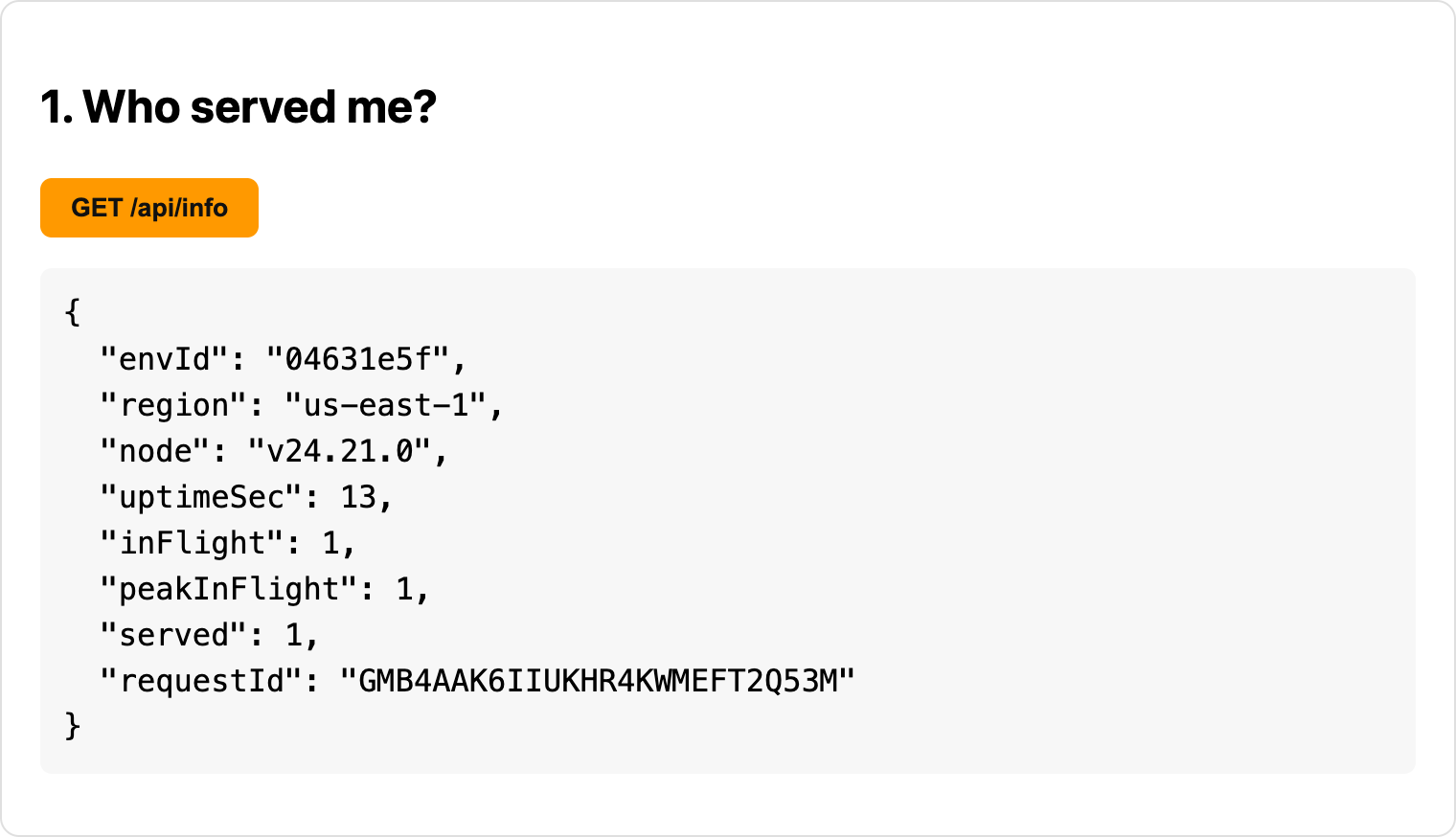
GET /api/info response showing envId, region us-east-1, Node v24.21.0, inFlight, peakInFlight, and served counters
Module scope lives as long as the execution environment, which makes it a handy place to observe concurrency:
const ENV_ID = randomUUID().slice(0, 8); // one per execution environment
let inFlight = 0, peakInFlight = 0;

app.use("/api/*", async (c, next) => {
  inFlight++; peakInFlight = Math.max(peakInFlight, inFlight);
  try { await next(); } finally { inFlight--; }
});

app.get("/api/work", async (c) => {
  await sleep(Number(c.req.query("ms") ?? 1000)); // stands in for a DB/API call
  return c.json({ envId: ENV_ID, peakInFlight });
});
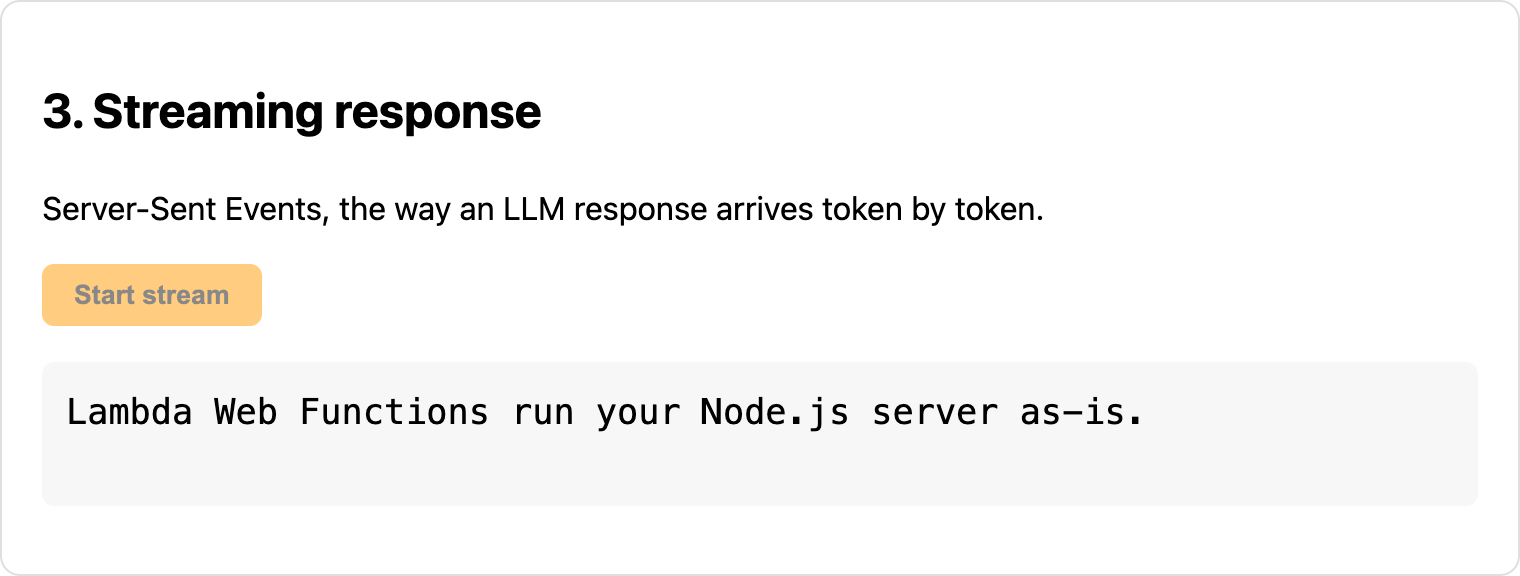
Streaming uses nothing but Hono’s standard helper:
app.get("/api/stream", (c) => streamSSE(c, async (stream) => {
  for (const word of words) {
    await stream.writeSSE({ event: "token", data: word + " " });
    await sleep(120);
  }
}));
Deploy
cd app && npm install --omit=dev && cd ..

aws lambda-web deploy \
  --name wf-blog-demo \
  --code ./app \
  --create \
  --region us-east-1 \
  --endpoint-name demo \
  --auth-type ApplicationManaged \
  --timeout-seconds 60 \
  --max-environments 30 \
  --rate-limit 500
On first run, deploy zips the folder and creates a versioned S3 bucket and an execution role. It then creates the function, its first revision, and a HomeRegion endpoint, and prints the URL:
https://<id>.<cell>.lambda-web.us-east-1.on.awsThe endpoint went Active within seconds of the upload. Later deploys run the same command; each one creates a new revision, and the endpoint (in LatestRevision mode) picks it up automatically.
Even for a demo, set --max-environments and --rate-limit on any public endpoint. Together they put a ceiling on your bill.
Frequently asked questions
What are AWS Lambda Web Functions?
A Lambda form factor that runs a normal Node.js HTTP server (Express, Hono, Fastify, Next.js and similar) without changes. Each function gets a built-in HTTPS endpoint, scales to zero when idle, and streams responses by default.
How are Web Functions different from classic Lambda functions?
Classic Lambda, now called Event Functions, calls a handler and processes one request per execution environment. Web Functions run a server listening on a port, and one environment serves many requests at once: up to 128, with a default of 64. They also come with their own HTTPS endpoint, so you don’t need API Gateway or a Function URL in front.
How are Web Functions billed?
You pay for requests, active CPU, and memory over each environment’s lifetime. A request waiting on a database or an LLM API burns almost no CPU, so you aren’t billed for that idle wall-clock time the way you are with Event Functions.
Do I need to change my code to run on Web Functions?
Barely. The server has to listen on the host and port in the
AWS_LAMBDA_HTTP_ENDPOINT environment variable. In the demo that is two
lines, and the same file still runs with node index.js locally.
How do canary and blue/green deployments work?
Every deploy or config change creates an immutable revision. An endpoint routes traffic to one or two revisions by weight, so you shift traffic between them. In LatestRevision mode, the endpoint picks up each new revision automatically.
How do I keep the bill under control on a public endpoint?
Set --max-environments and --rate-limit on the endpoint. Together
they cap how far it can scale and how many requests it accepts, which
puts a ceiling on your bill.